Turn Your Property Photos Into
Cinematic Videos
That Inspire the Next Stay or Booking.
Cinematic walkthrough videos for vacation rentals, boutique hotels, event venues, and remarkable spaces — created from the professional photos you already have. No camera, no crew, no editing.
No subscription. No upfront payment. Order when you need a video, see the complete result, and pay only if you approve it.
From Still Photos to Cinematic Video
These everyday photos became the walkthrough video on the right — no camera, no crew, no editing. Yours works exactly the same way.
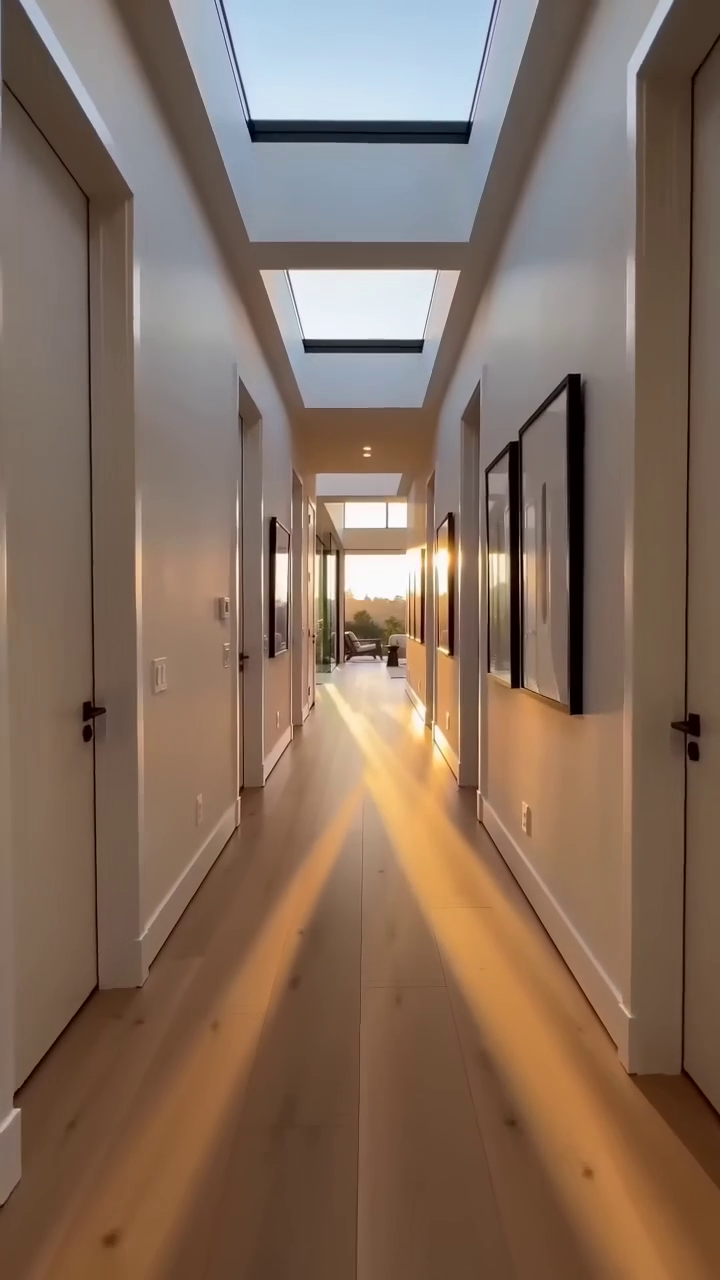
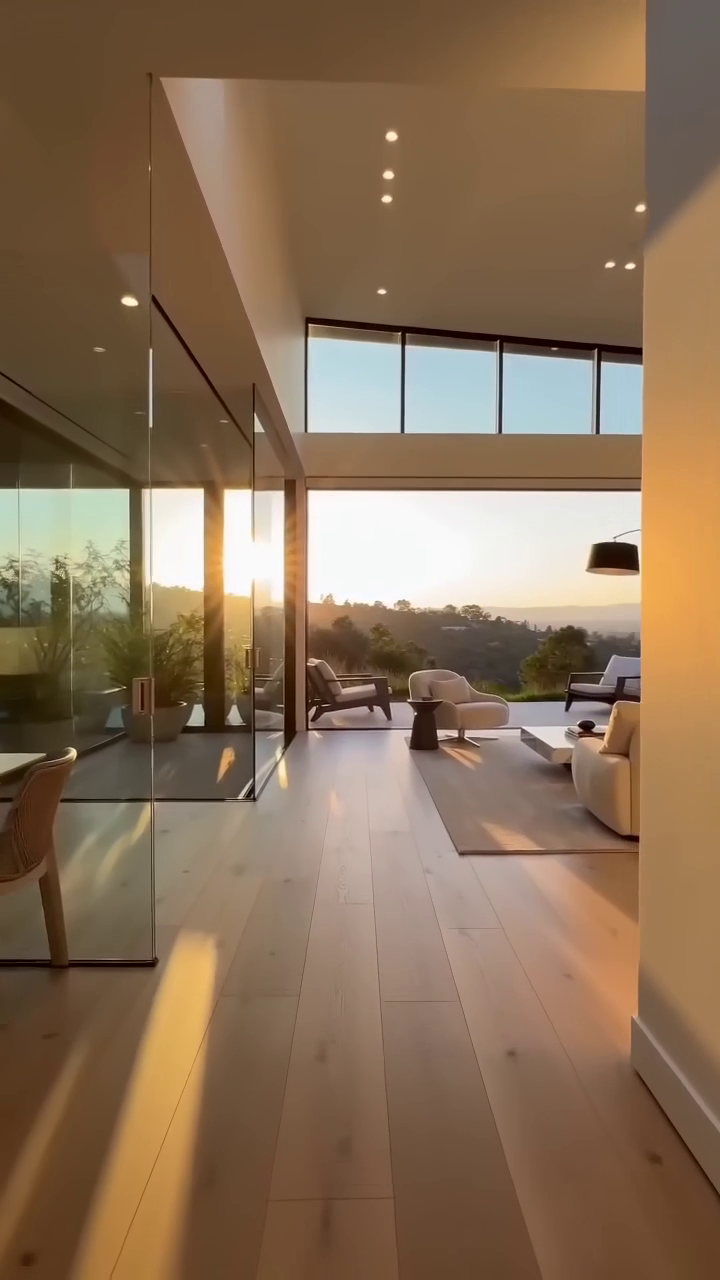
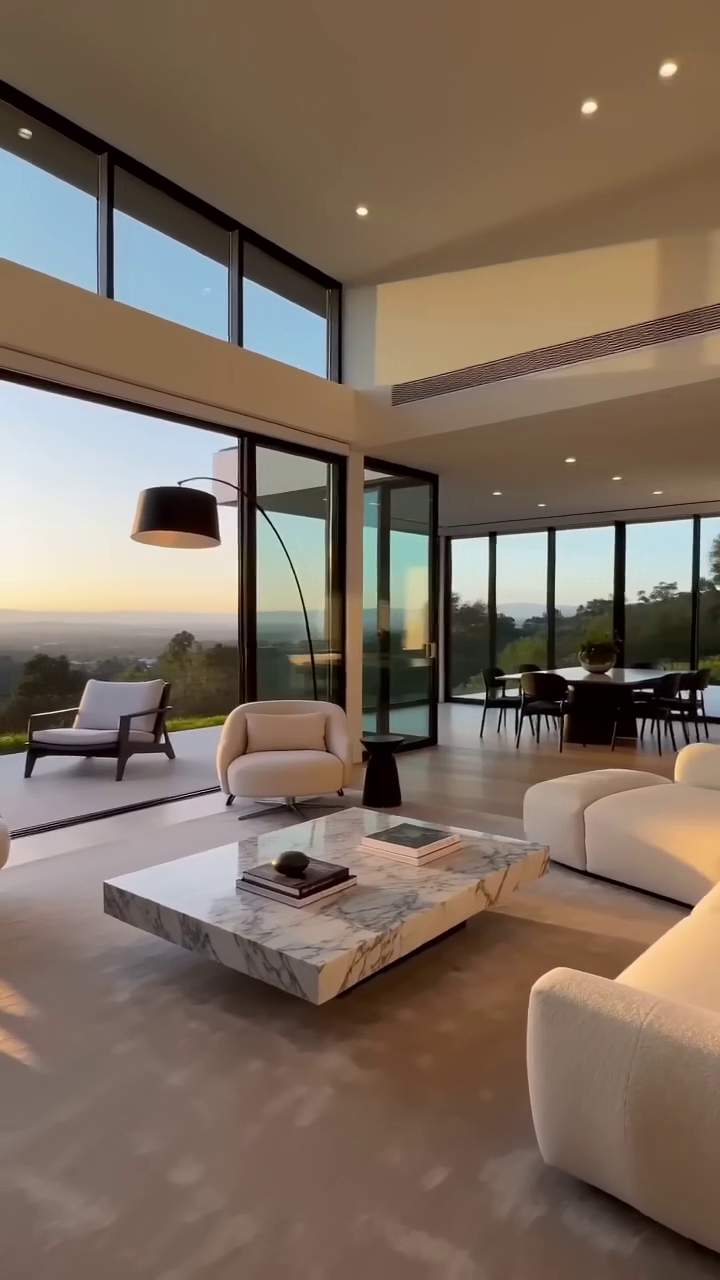
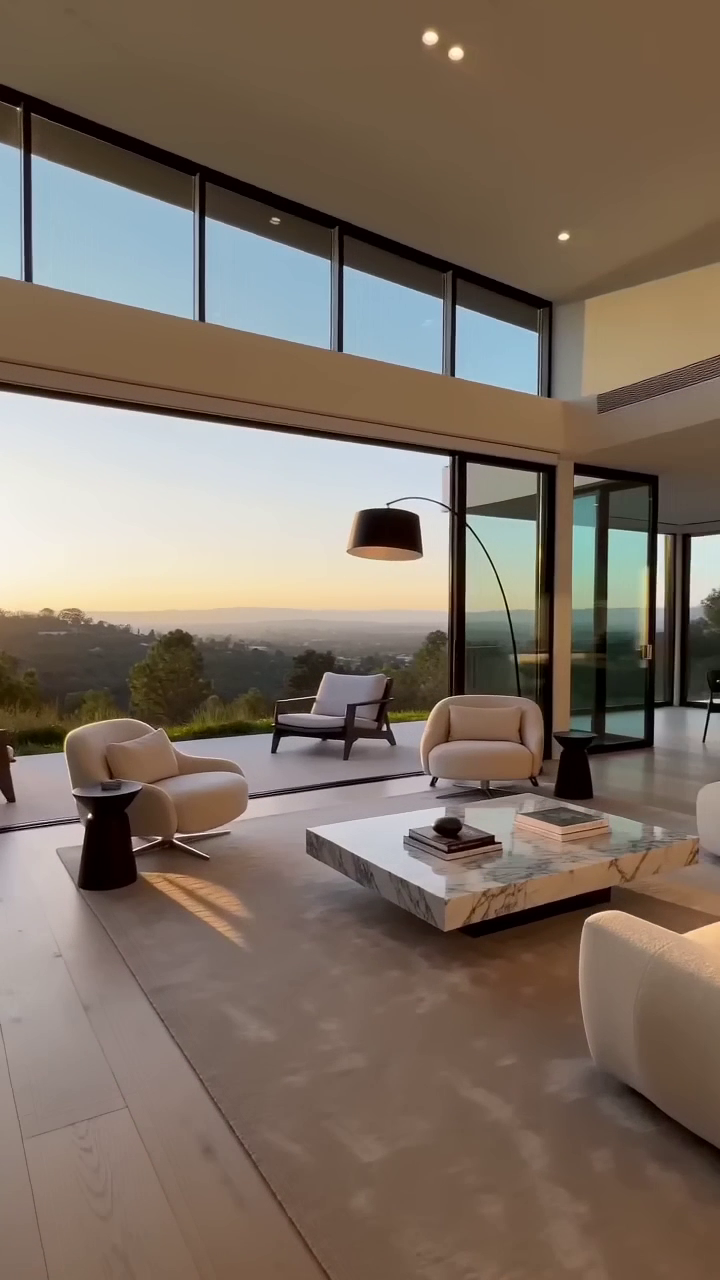
7–18 photos of any property — interiors, views, and details.
Vertical 9:16 — ready to post to Reels, TikTok, and Stories.
How It Works
Three simple steps from photos to cinematic video.
Upload & Customize
Upload 7–18 property photos (depending on your package), then choose your mood & lighting and music to match your listing.
Preview For Free
Confirm your email with one click and we get straight to work. We'll email you a private link to your watermarked preview the moment it's ready, usually in less than an hour. Your confirmation screen shows your real spot in today's queue. Watch it, love it, and only then do you pay.
Approve, Pay & Download
Because your video is already finished when you preview it, there's no extra wait. Approve it, complete payment, and the clean, watermark-free version downloads immediately in every format you ordered — ready to post.
Built For Spaces That Deserve to Be Experienced
Cinematic video for the places people stay, gather, and celebrate.
Vacation Rentals & Property Managers
Airbnb, VRBO, and direct-booking listings that let guests feel the space before they book
Boutique Hotels, Inns & B&Bs
A cinematic showcase of your rooms and common spaces that turns lookers into bookers
Event & Wedding Venues
Show couples and planners exactly what their guests will experience
Also perfect for
Apartment Communities
Showcase units to prospective renters before they tour
Realtors & Apartment Locators
Make listings stand out on social media or MLS
Real Estate Photographers
Add video to your service offering without filming
Home Stagers & Designers
Turn finished projects into a portfolio that wins new clients
Property Developers
Show off new construction and pre-sale units
Commercial Real Estate
Modern marketing for office and retail spaces
Simple, Transparent Pricing
No subscriptions. No hidden fees. Every length below fits neatly into a Reel, Story, or feed post.
Reel
A punchy highlight reel — perfect for a quick, scroll-stopping post.
Tour
The sweet spot — enough room to show off the whole space. What most people choose.
Showcase
The full cinematic showcase for a larger or higher-end property — includes the 4K widescreen version and an extra free revision.
Why do longer videos need more photos? Each photo becomes a moment in your video. A longer video needs a few more of them to build a real sense of moving through the space — but never so many that any single shot flies by too fast to enjoy. We match each length to a photo range that keeps the pacing natural and cinematic.
Every package includes
Want It on the Big Screen, Too?
Every package is a vertical video built for social. Showcase also includes a widescreen version — on Reel or Tour it's an optional add-on, and it's never sold on its own.
The Website & Big-Screen Upgrade
Add a 4K Widescreen Cut
Going on your website, YouTube, or a lobby display? Add a cinematic 16:9 widescreen version in crisp 4K — built for the big screen, alongside your vertical video.
Have several properties?
Save with a 5-Pack
Buy five videos upfront at a discount. We email you a pack code — order each property as usual, watch your preview, and apply the code instead of paying. Every pack includes 5 full videos. Need a shorter one? A Tour or Showcase pack can also be used for a Reel.
Paid upfront. Every video still gets a watermarked preview and its included revisions.
Already ordered with us?
No need to reorder — look up any past order with your email and Re-Download your finished video anytime, free.
A Quick Note on Video Quality
Your vertical (9:16) video is delivered in Full HD (1080×1920), optimized for phones where Reels, TikToks, and Stories are watched. Platform compression and mobile viewing make HD the best balance of quality and file size for social platforms.
4K only makes a real difference on big screens — websites, YouTube, presentations, and lobby displays. That's why our 4K version (included with Showcase) is offered exclusively in the horizontal (16:9) format built for those large-screen contexts.
You're In Control
Try out different styles below — tap any option to instantly see the same walkthrough that way. Your selections guide the lighting treatment and soundtrack of your finished video.
Now showing: Golden Hour · 🎹 Warm & Elegant
Mood & Lighting
Music
Mood & Lighting sets the color and atmosphere. Music sets the soundtrack — included at no extra cost, or choose No Music to add your own trending audio. Mix and match to find the look that fits your space — your selections guide the lighting treatment and soundtrack of your finished video.
Camera movement and transitions are handled for you — every video gets the same smooth, unhurried camera work, whether it's a home, a hotel, or an event space. Add a hallway or doorway shot and we use it as a quick push-through (a second or so) into the next space; leave it out and we go from space to space with clean, crisp cuts.
You'll pick your style when you order — and can fine-tune it with a free revision before you pay.
Questions? Answers.
Everything you need to know — all in one place, no clicking around.
Getting Started
How does the preview work?
We generate your complete video with a subtle watermark. You watch it in full before you pay. Only when you approve it do we charge your card and deliver the clean version.
How long does it take to get my video?
Usually less than an hour — and often much sooner. Once you confirm your email, your video goes straight into production, and we email your private watermarked preview link the moment it's ready. You don't have to wait until the next business day. Exact timing depends on how many orders are in the queue and on your package size (a 60-second Showcase takes a little longer than a 30-second Reel), and your confirmation screen shows your real place in line. Once you approve and pay, your clean, watermark-free video is ready to download right away. Revisions are rebuilt just as quickly.
What photo format should I upload, and in what order?
Upload JPG, PNG, AVIF, WebP, or HEIC files. The simplest rule: use the original, full-size photos straight from your phone or camera. Avoid screenshots or images saved from listing sites or text messages, since those get compressed and look blurry once animated — most modern phone photos are perfect as-is. Any orientation works: portrait phone photos look great in the vertical (Reels/TikTok/Stories) video, and landscape photos shine if you add the 4K horizontal (16:9) format. As for order, there's nothing to get right up front: upload your photos in any order, then drag them into the sequence you'd like. Numbered badges show the flow (#1 plays first), and the order you set is the order we animate. Hallways and entry shots are welcome too — they add a natural walking-through feel, and our own sample video opens with one. We keep those connector spaces quick (a second or so) so the bulk of your video stays on the spaces you're showcasing.
Do I need professional photos, or can I use my phone?
You don't need a professional photographer — modern phone photos look fantastic once we animate them. The one thing that matters is using the original, full-size images straight from your phone or camera. Avoid screenshots or photos saved from listing sites or text messages, since those get compressed and turn soft once they're brought to life. If you do have professional photos, wonderful — just ask your photographer for the original high-resolution stills. Bright, in-focus, well-lit shots always give the best result, whatever camera they came from.
How many photos do I need?
It depends on the length you want, and each package has a simple range: Reel uses 7–10 photos for a 30-second video, Tour uses 11–14 photos for 45 seconds, and Showcase uses 15–18 photos for 60 seconds. Each photo becomes its own moment in your video — standout rooms linger a beat longer while hallways and entries pass by quickly, so the pacing feels natural rather than chopped into identical clips. More photos means a longer, more comprehensive tour. Pick the package that fits how much of the property you want to show, and you can always switch packages while you order if you'd like more or fewer scenes.
Can I use this for Airbnb, vacation rentals, or commercial properties?
Absolutely. While a lot of our videos are for residential listings, the same cinematic walkthrough works beautifully for short-term rentals like Airbnb and VRBO, vacation homes, commercial and office spaces, event venues, restaurants and hospitality, and new-construction or multi-unit developments. If you have photos of a space you want to show off, we can turn them into a video — it doesn't have to be a home for sale.
Can you work from a Matterport or other virtual tour link?
Not at this time — we work exclusively from still photos (JPG, PNG, AVIF, WebP, or HEIC). We don't pull footage from Matterport, Zillow 3D, or other virtual-tour links. If your property was shot with a photographer, ask them for the original high-resolution still photos — those are exactly what we need to build your cinematic video.
Pricing & Packages
How much does a real estate video cost?
Pricing is simple and per-video — you pay once for the video you order, with nothing to sign up for. There are three packages: Reel is $149 (a 30-second video from 7–10 photos), Tour is $199 (45 seconds from 11–14 photos), and Showcase is $249 (60 seconds from 15–18 photos, with an extra round of revisions and the 4K Horizontal (16:9) widescreen version included). On Reel or Tour you can add the 4K Horizontal cut for $79. Every package includes music, a free watermarked preview, and at least one free round of revisions — extra revisions after that are $29 each. You only pay once you've watched your preview and approved it. Have several properties? A 5-Pack saves you money when you pay for five videos upfront.
What is your refund policy?
Because you approve a watermarked preview before payment, all sales are final upon approval. This protects you — you never pay for something you haven't already seen and approved.
Can I get a video longer than 60 seconds, or a custom length?
Not right now — we offer 30, 45, and 60 seconds, and those lengths are deliberate. Each one is timed so feature rooms can linger while hallways pass by quickly, giving the whole video a natural walkthrough feel. Stretching a smaller set of photos into a longer video just means holding or repeating shots, which makes it drag instead of shine. These lengths are also the sweet spot for social media — Reels, TikTok, and Stories hold attention best when they're short and punchy. If you have a larger property or want more coverage, the Showcase package (up to 18 photos, 60 seconds) is our most comprehensive option, and you're always welcome to order more than one video.
Do you offer retainer or subscription plans?
No subscriptions or monthly commitments — we keep it simple with per-video pricing. If you have several properties, a 5-Pack lets you pay for five videos upfront at a discount.
How does the 5-Pack work?
Choose a 5-Pack size in our pricing section — 5 Reels for $629, 5 Tours for $849, or 5 Showcases for $1,059 — and pay upfront. We email you a pack code. Then order each property as usual: you still get a watermarked preview and your included revisions, and when you love it you enter your pack code on the preview page instead of paying. Every pack includes 5 full videos. You can also use a bigger pack for a shorter video — for example, a Tour or Showcase pack works for a Reel. Bonus for pack buyers: if you add the 4K Horizontal (16:9) widescreen cut to a Reel or Tour order, it's included free when you pay with your pack code — no $79 add-on charge.
Delivery, Formats & Revisions
How will I know when my video is ready?
By email, in three quick stages. First, right after you submit we email you a confirmation link — one click, and that's what puts your order in the queue. Nothing is built until you click it, so if you don't see that email, check your spam or promotions folder. Second, we create your watermarked preview and email you a private link the moment it's ready (usually in less than an hour); your confirmation screen shows your real spot in today's queue. Third, once you watch your preview and approve it, you pay and your final clean video downloads immediately — no additional wait.
I placed an order but haven't heard anything — what happened?
Almost always it's the confirmation email. Every order starts with a one-click confirmation link we send the second you submit — it's how we make sure your free preview reaches a real inbox that belongs to you. Until you click that link your order just sits there and we never begin building, so nothing has been lost. Check your spam and promotions folders for a message from [email protected], and if it isn't there, the confirmation screen at the end of the order flow has a 'Resend the confirmation email' button. The link stays good for 72 hours. Still stuck? Email us at [email protected] with your order number and we'll get you sorted.
What formats do I receive?
Every order is delivered in vertical 9:16 — the format built for Instagram Reels, TikTok, and Stories, where property videos get watched and shared most. If you also need a big-screen version for your website, YouTube, or a display, add our 4K Horizontal (16:9) version for $79 on Reel or Tour (it's included with Showcase) and you'll receive that widescreen cut alongside your vertical video.
Can I request changes after seeing the preview?
Absolutely — we want you to love it, and you never pay until you do. Every order includes a free preview plus 1 free round of revisions (the Showcase package includes 2). From your preview page, click 'Request a Change' and simply re-dial your look — pick a different mood & lighting or a different music track, or edit your title & end card wording and font. You can also reorder your photos or swap them out entirely: remove any shots you don't love and upload better ones right there. And if you'd like a different length, you can switch your package (Reel, Tour, or Showcase) right in the same flow — just match your photos to the new package's range, and the price updates to the package you land on, still paid only when you approve. Each round of revisions can include any mix of these — reorder photos, swap photos, switch your package, and change your options all at once — and it still counts as just one revision. We'll automatically rebuild your walkthrough to match. Everything is done through simple toggles and clicks, so revisions are quick and easy. If you'd like more changes after your included revisions, you can add extra revisions for $29 each right from your preview page — and there's never any obligation to buy if it isn't the right fit. And if a preview ever has a technical glitch on our end, we fix it free and it doesn't count against your revisions.
Do I get a link I can share, or just a video file?
Both. Once you approve and pay for your video, you get a downloadable file and your own private cinematic tour page — a clean web page with your finished video playing front and center. You get a simple link you can text or email to clients, drop into a listing, or post on social, and anyone who opens it can watch the tour and download the video right there. The link is private and unlisted — only people you share it with can find it — and there's nothing extra to set up or pay for; it's included with every video.
What if I lose my video or need it again?
No problem — and it's completely free. Just head to the Re-Download page, enter the email you ordered with and your order number, and your download link comes right back. Your videos stay available to you anytime, at no extra charge.
What is the 4K Horizontal upgrade?
Our 4K Horizontal upgrade delivers your video in stunning 16:9 widescreen at 4K resolution — perfect for your website hero video, YouTube channel, or large screen displays. It's included with the Showcase package, and it's a $79 add-on for Reel or Tour.
Can I buy the 4K Horizontal video on its own?
The 4K Horizontal cut is an add-on to a package, not a standalone product. Every 4K widescreen video is built from the same cinematic edit we create for your core package, so there's always a package underneath it — it's included automatically with Showcase, or you toggle the $79 add-on on when you order a Reel or Tour. This keeps your vertical and widescreen versions perfectly consistent and keeps pricing simple.
Quality & Craft
How do you handle hallways, entryways, and doorways?
We treat those as connector spaces — the parts of a building you pass through on the way to the main event. Instead of stopping on them, the camera does a quick push-through (a second or so) that bridges you into the next room, keeping a sense of movement rather than feeling like a slideshow. Because every video is a tight 30, 45, or 60 seconds, keeping these spaces brief means more time goes to the spaces you're actually showcasing — the kitchen, the suite, the great room, the venue space, the finished unit. You don't need to flag anything: if you include a hallway or entry photo we use it as a natural bridge, and if you leave it out, we go from one space to the next with a clean, crisp cut. The one exception is when a staircase, foyer, or hall is genuinely a showpiece — then we treat it as a feature and give it full screen time. And since you approve your watermarked preview before paying, you can always request a change if you'd like something handled differently.
What makes this different from the cheaper photo-to-video apps?
It comes down to two genuinely different kinds of video. Most low-cost, high-volume apps make what's often called a 'motion slideshow' — the camera pans and zooms across each still photo, one photo at a time. They're fast and inexpensive, and they're a fine fit if you just need something quick for MLS compliance or a high volume of listings. What we make is cinematic, generative video: instead of moving across a photo, our camera appears to move within each space with real depth and parallax, revealing the property the way a walkthrough would feel, with crisp cuts from one room to the next. That takes more craft and a bit more time, which is why we're not instant and not the cheapest, but it's what makes a listing actually stop the scroll and feel premium. And because you approve a full watermarked preview before paying, you can see that difference for yourself before you spend a dollar.
Is music included?
Yes — a soundtrack is included in every package at no extra cost. You choose the vibe when you order: Warm & Elegant (soft piano and strings), Bright & Airy (light acoustic), Cinematic & Moody (ambient, film-trailer feel), or Modern & Upscale (chill lo-fi). Prefer to add your own trending audio on Reels or TikTok? Choose the No Music option and we'll deliver a clean video with no soundtrack.
Can you add my property name, branding, or a title and end card?
Yes — it's optional and free. When you order, you can add an elegant opening title and a closing end card. The opening title shows your property or business name over the first shot, with an optional line underneath (like the city or neighborhood). The end card closes the video with your name again, plus anything you choose to add: your own short message (for example, 'Now booking weddings & events' or 'Book your stay'), your Instagram handle, and your website or booking link. Nothing is pre-written — the cards only say what you type. You pick one of three fonts (Modern Serif, Classic Serif, or Clean Sans), used on both cards, and you see a live preview as you type. Just enter letters, numbers, and basic punctuation (emoji aren't supported), and if you spot a typo or want different wording after seeing your preview, you can edit the cards as part of a revision. Prefer a completely clean video? Leave the property name blank and there's no text at all, so you can add your own captions in Instagram, Canva, CapCut, or any editing app.
How do you cut between rooms?
With clean, crisp cuts — the same way a professional editor would cut a high-end property film. Each room gets its own smooth, steady camera move, and then we cut straight to the next space. Hallways and entries pass by quickly, and when you include more than one photo of the same room, the second shot is framed tighter or moves differently so it feels like a fresh angle rather than a repeat. We always follow the photo order you set.
What quality are the videos, and why isn't 4K offered for the vertical video?
Your vertical (9:16) video is delivered in Full HD (1080×1920), optimized for phones where Reels, TikToks, and Stories are watched. Platform compression and mobile viewing make HD the best balance of quality and file size for social platforms. The 4K Horizontal (16:9) option is designed for websites, YouTube, presentations, and large displays, where higher resolution makes a visible difference.
Privacy & Trust
Who is responsible for the photos I upload?
You are — and it's simple. When you upload photos, you're confirming that you have the right to use them (for example, they're your own photos, or you have permission from the photographer or owner to use them). ImagesToLife simply animates the images you provide; we're not responsible for the content of your photos, who owns them, or how they're licensed. Please only upload photos you're authorized to use.
How do you protect my privacy and my photos?
Your photos and your information are yours — full stop. We use your uploaded photos for one purpose only: to create the video you ordered. We never use them to train AI, and we never use your photos or your video for marketing or samples without your explicit permission. Occasionally we may ask whether we can feature your finished video on our website with a link back to your property or business. That's completely optional, and you can ask us to remove it anytime. Your content is processed only through the secure service providers required to fulfill your order (such as cloud storage, our video generation system, and payment processing) and is never sold, rented, or shared for any other purpose. You can read the full details on our Privacy page.
What kinds of photos can I upload?
Please upload appropriate property and real-estate photos that you have the right to use — homes, rooms, exteriors, and similar. To keep everyone safe, we automatically screen every upload, and we won't produce anything inappropriate or unlawful. If something looks off, your order is simply placed on hold and reviewed rather than produced. This keeps ImagesToLife a safe, professional service for everyone.
How do I contact you?
You can reach us anytime using the chat widget in the bottom right corner of this page — our assistant is available 24/7 to answer questions instantly. You can also use our contact form and we'll get back to you within 24 hours.
Ready To Make Your Photos
Come To Life?
Upload your photos today. We'll email your preview the moment it's ready. Pay only when you love it.
Get Started — It's Free To Preview